Notícias em Tempo Real
Siga a Seletronic no Google News
Fique por dentro de tudo! Receba nossos artigos, dicas e ofertas diretamente no seu celular em primeira mão.
When entering the AliExpress website, many users simply do not find the “Slash it” option, where it is possible to buy products for approximately U$ 0,20 cents, a real bargain. It is worth remembering that the bargain is only available on the website when accessed by cell phone, and also on the AliExpress app for Android and iOS. However, even when accessing the mobile site, sometimes the bargain option is not available on the platform’s homepage, causing some to question where the AliExpress “Slash it” is. To solve this you need to access the “Slash it” link:
- Visit aliex.app/slash
- Or simply aliex.app/s
- When choosing a product you will be asked to login
- Log in, or create your account in the next window
- You will be redirected to the bargain link
- Choose your product and cut the price
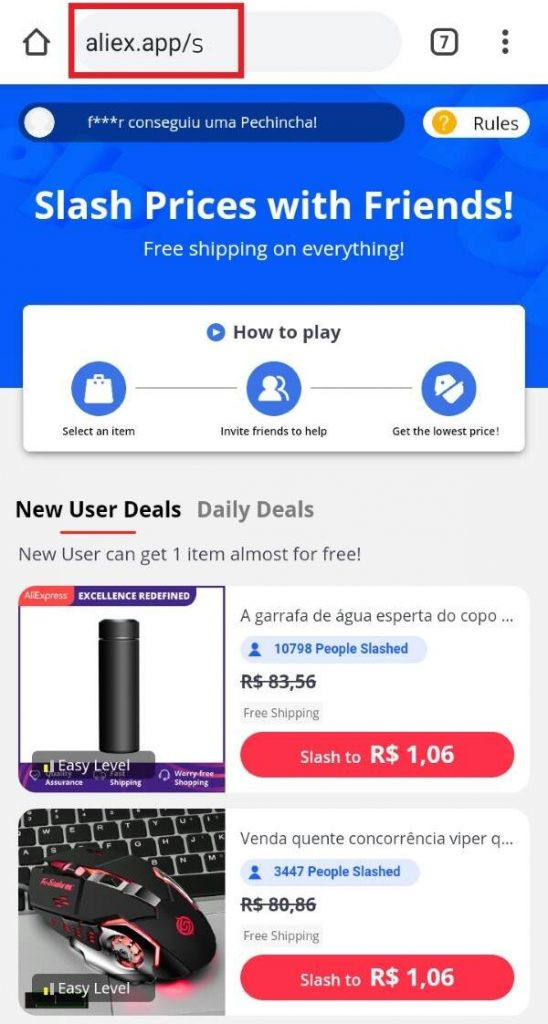
Now you know where the AliExpress bargain is
The official URL for the “Slash it” is quite long, but the shortened link shortcuts above will redirect your browser to the correct page.